How it works
How Veridat takes a claim from draft to approved
Claim substantiation, step by step: each claim gets a checklist of the evidence it needs, a place for the proof, and sign-off from the right people, recorded for good.
- Step 1 of 6
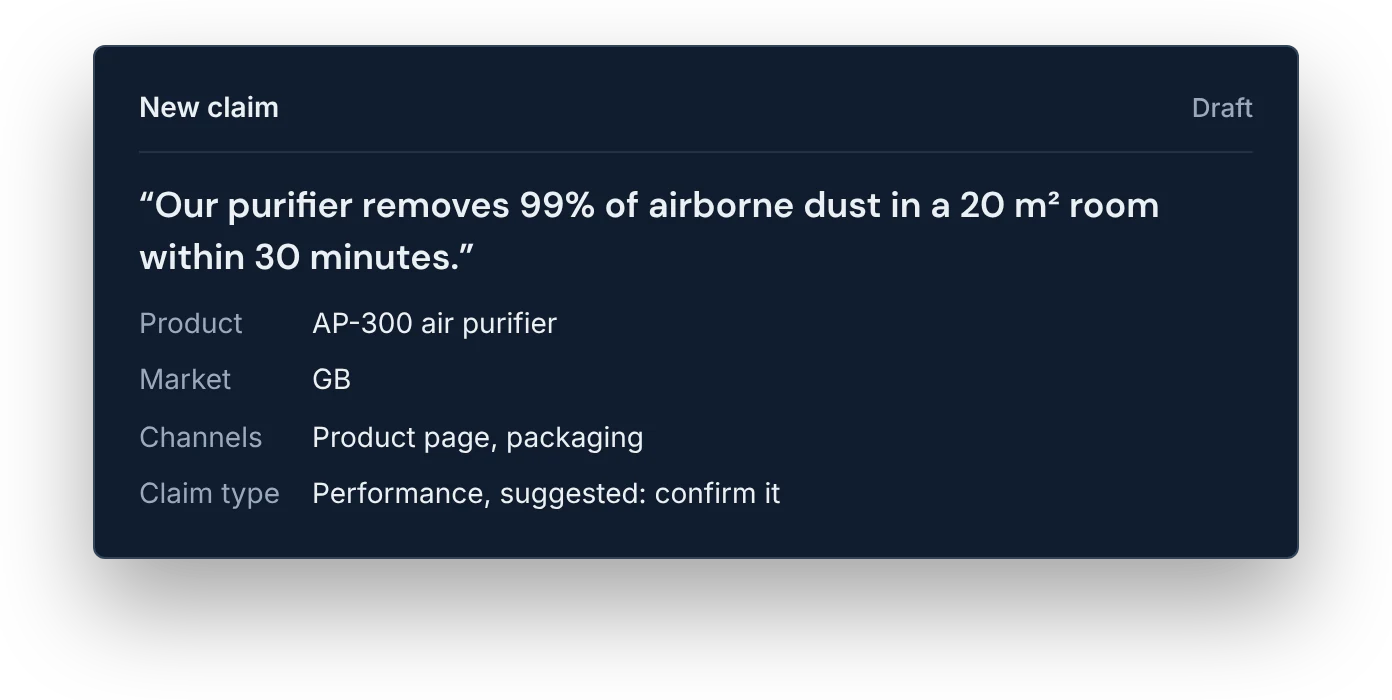
Add the claim
Type the claim exactly as you want to say it, with the product, its markets and channels such as packaging or a sales deck. Confirm the suggested claim type, or import claims from a CSV.
- Step 2 of 6
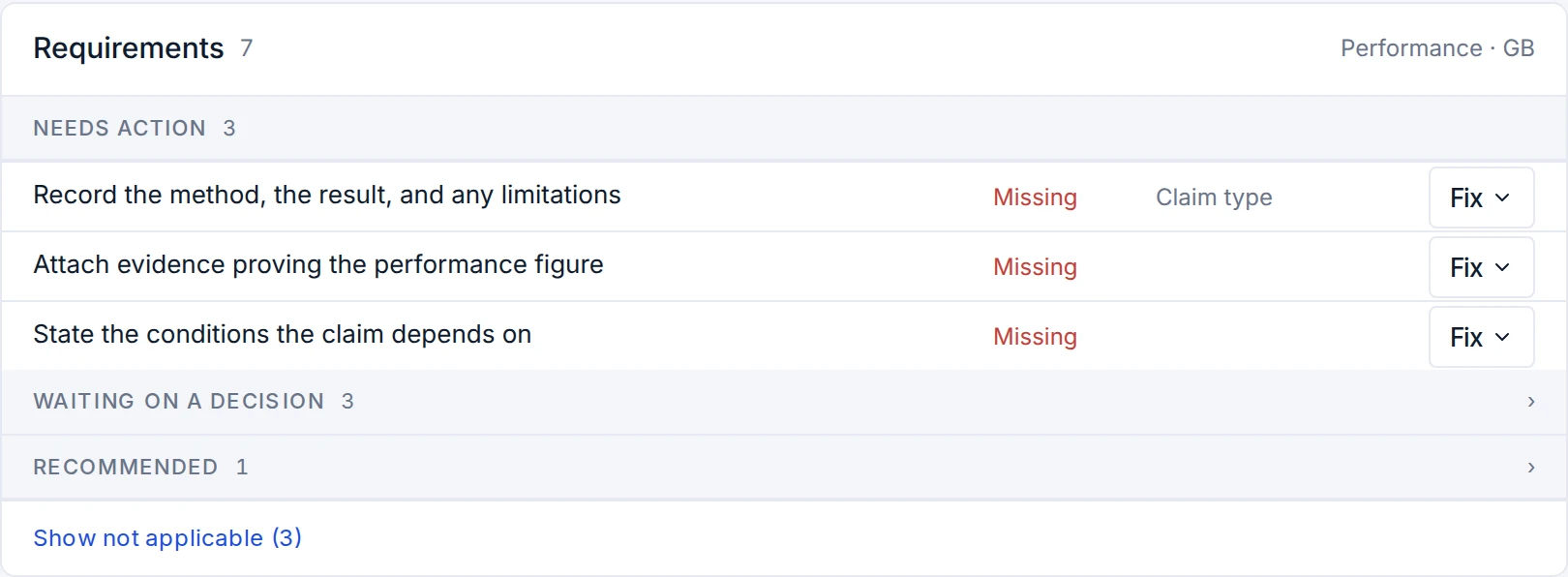
See what it needs
The claim gets a checklist of what it needs before use: evidence, any measured result, conditions to state and sign-offs. Each item cites its UK or US rule, such as CAP Code rule 3.7.
- Step 3 of 6
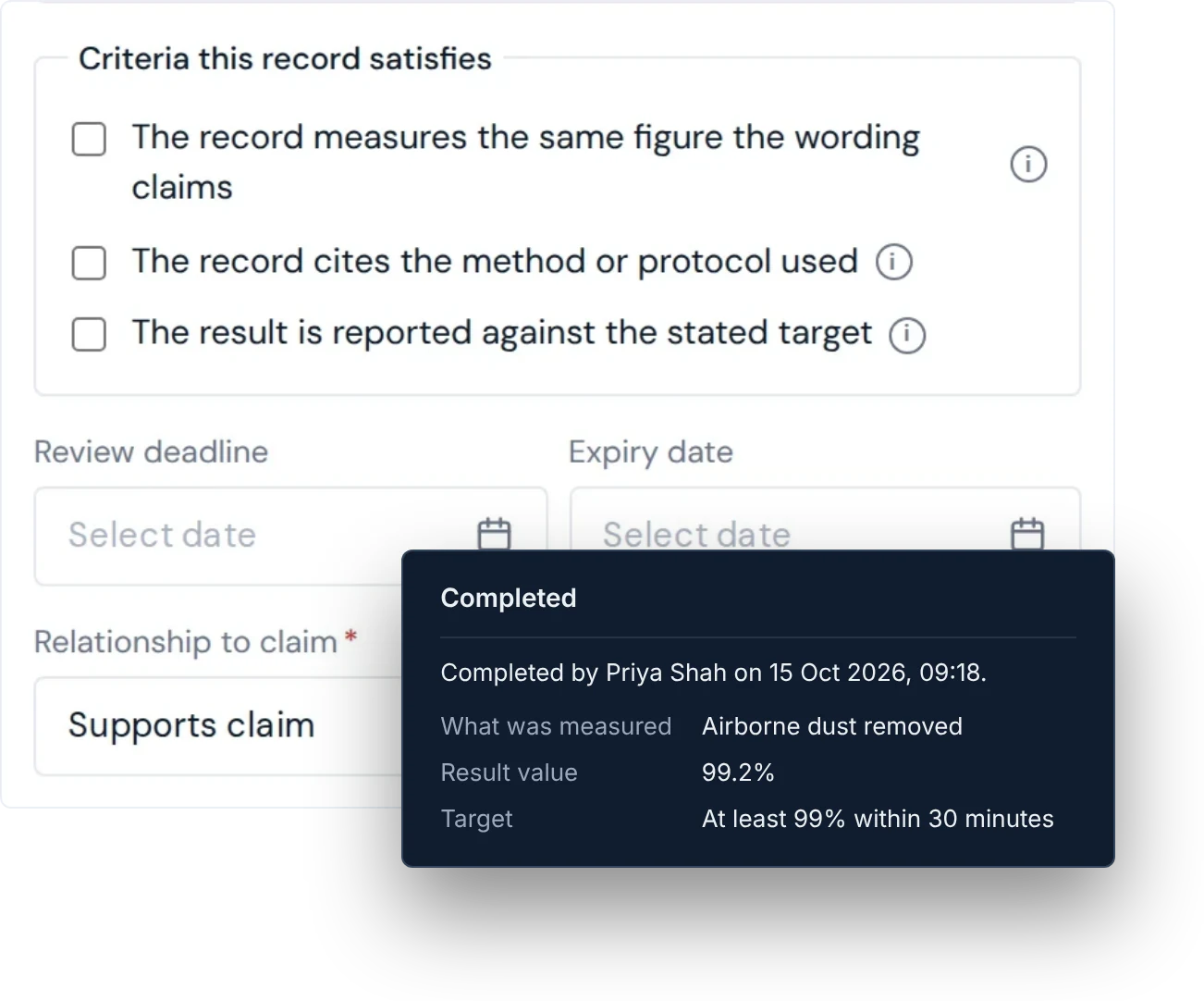
Attach the evidence
Add test reports, studies, certificates and data as files or links, with who produced them, how, and when they expire. Attach each to the requirement it answers; one record can support many claims.
- Step 4 of 6
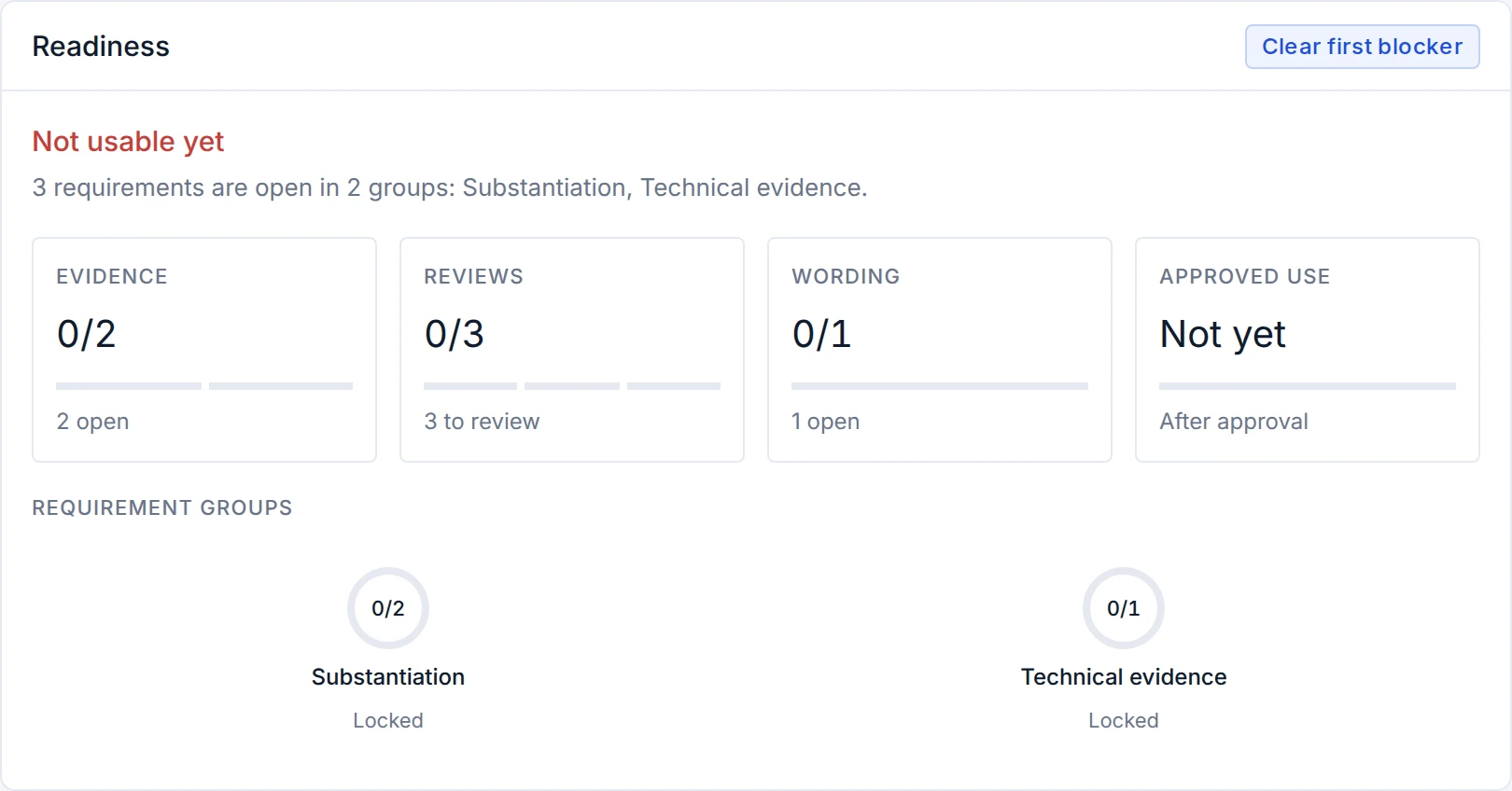
Send it for review
The claim goes to the functions it needs: Legal always, and Product, Regulatory, Compliance or Brand by claim type and risk. Reviewers see the wording, evidence and rule side by side.
- Step 5 of 6
Record the decision
Each reviewer approves, adds conditions, returns or rejects, with a reason. Their decision is saved with name, role and time, and can't be edited. A claim is approved only when every required function has signed.
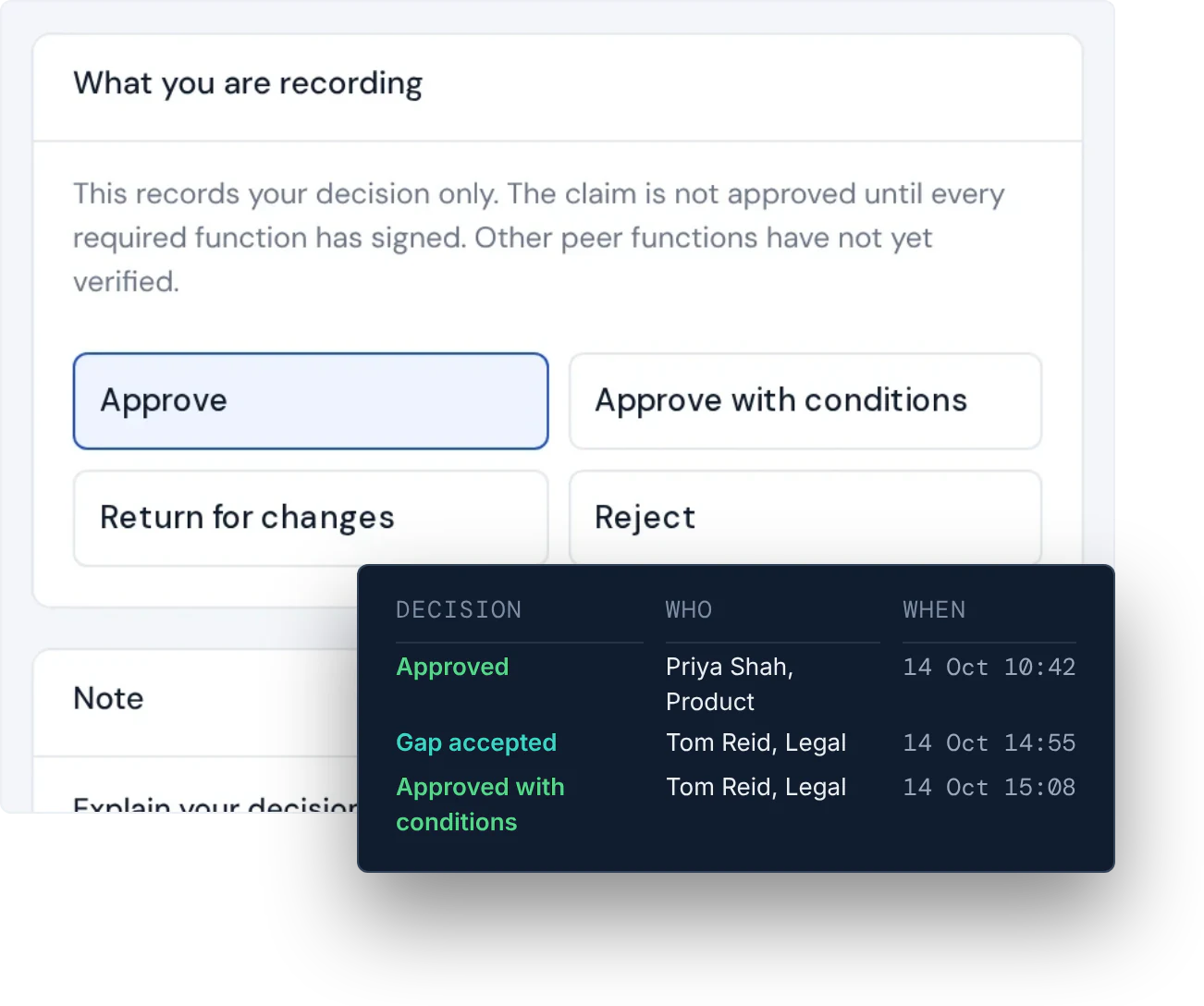
Decisions are locked when made. Example names.
- Step 6 of 6
Keep it true
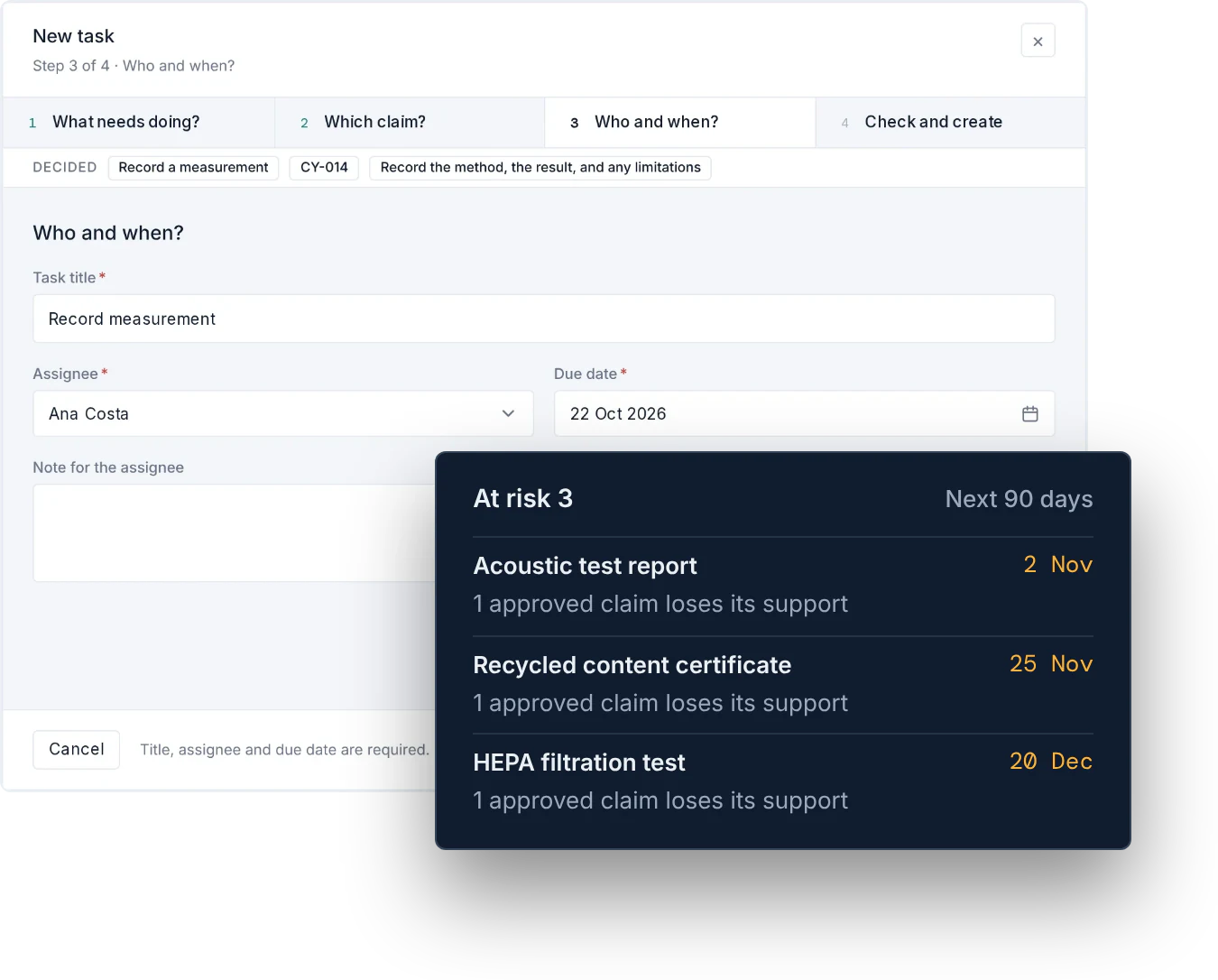
Approved wording goes into the claims library. Evidence about to lapse shows on the home screen with the claims relying on it, gaps become tasks with owners, and new wording opens a new version.


Before you start
What you need to get started
A work email
Sign up, enter the code we email you, and your workspace is ready, with 14 days of every feature and no card.
One claim you're working on
Its wording, the product and where it will appear, and whatever evidence you already have, as files or links.
The people who sign it off
Invite Legal and the other reviewers. Essentials includes 3 users, Team 10 and Scale 25.
Questions
How it works, answered.
How long does it take to set up Veridat?
There is nothing to install. You sign up with your work email, enter the code we send you and create your workspace, then add your first claim. How long that first claim takes depends on the evidence you already hold: if the test report is to hand, you can attach it straight away. Every plan starts with a 14-day trial and no card.
Who needs an account?
Everyone who adds claims, attaches evidence or signs off needs their own account, so each decision is recorded against a real person. Essentials includes 3 users, Team 10 and Scale 25, and Enterprise is agreed with you. People outside the team, such as a retailer asking for proof, can be shown the claim's record on screen.
Does Veridat replace legal review?
No. Veridat organises the claim, its evidence and the rules that apply, and records the decision, but your reviewers make it. Legal signs every claim. The checks test that the right kind of evidence is attached and recorded, not whether it proves the claim, and Veridat does not give legal advice.
Which rules does Veridat cover?
Its checklist draws on 26 rules from 14 UK and US sources, written by Veridat as plain requirements: the ASA's CAP Code, CMA guidance and the DMCC Act 2024 in the UK, and the FTC Act and the FTC's policy statements and guides in the US. Other markets, and channels such as email and social media, have no rules yet, and the coverage map shows those gaps.
What happens when evidence expires?
Each evidence record can carry an expiry date. As it approaches, the home screen lists what lapses in the next 90 days and how many approved claims depend on it, and once it passes, every claim that relies on it shows the evidence as expired. Veridat does not withdraw an approved claim by itself: your team decides whether to renew the evidence or change the claim.
Bring one claim.
See what it needs.
14 days of every feature. No card needed.